
Give people the privacy they deserve
HR departments and recruiters accumulate lots of sensitive data about employees and candidates. You may already have secure IT systems in place. Nevertheless, we see that many people continue to receive files with sensitive data outside these systems – for example via email.




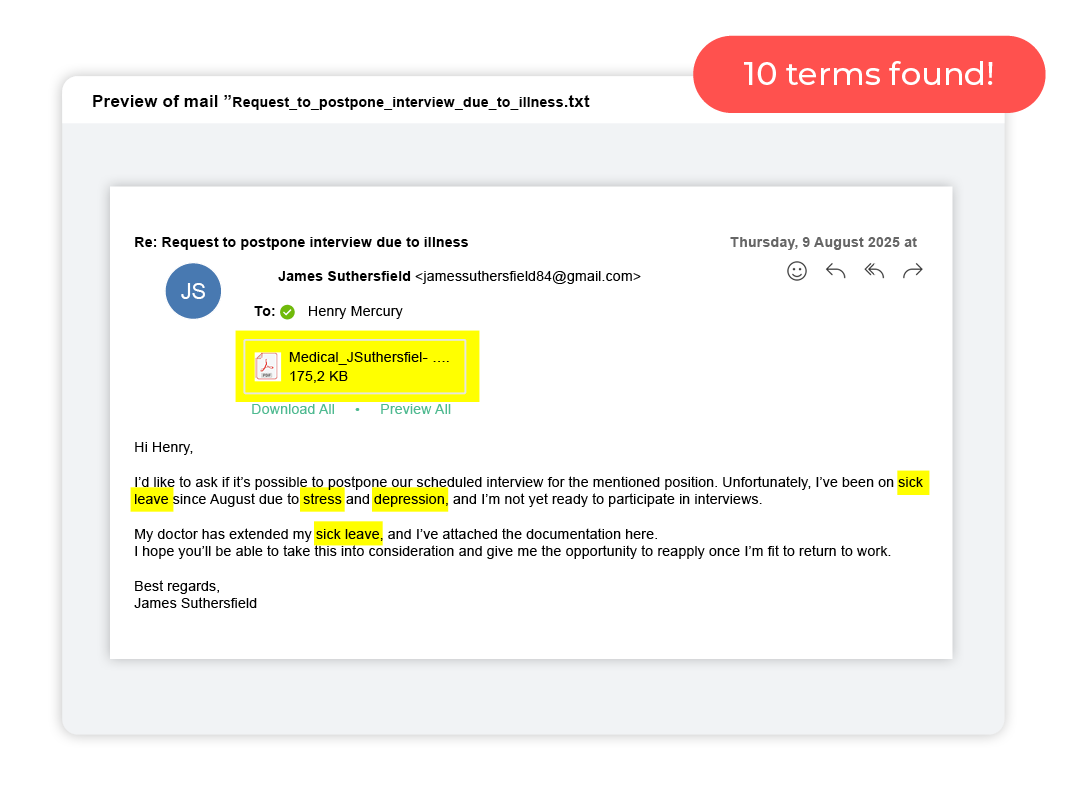
Here are your sensitive data
Having worked with a number of HR departments and recruitment companies, we know that the sensitive data you hold is typically about employees and candidates, which includes:
-
Personal data – names, addresses, contact details and photo ID
-
Financial information – salary and compensation details
-
Evaluations – exam records, performance sheets, profiling
-
Other – criminal records, disciplinary cases, trade union membership, etc.
Do you know where all this data is and if it is protected? If you are like many other HR departments and recruitment agencies, you have collected sensitive data by email. This is problematic, as data is unprotected in email inboxes. The mistakes that are often made by HR and recruitment people when processing sensitive data is that you are not actually aware of where the data is, you do not have consent to store data, and you get it sent unencrypted via email.
How to take control of your sensitive data
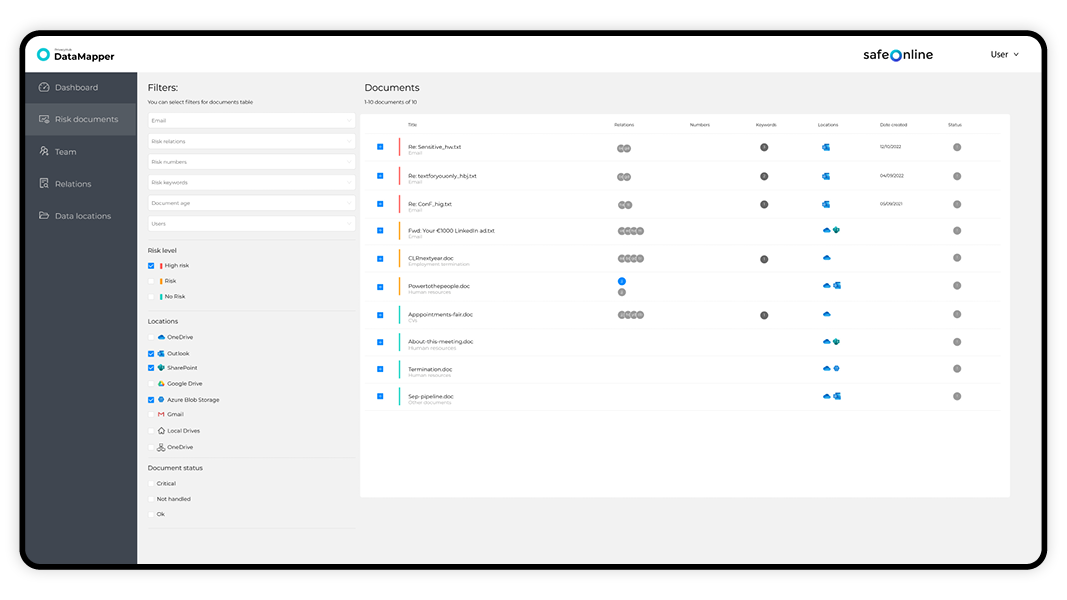
DataMapper is an IT tool that uses artificial intelligence to identify documents, emails, and images containing sensitive terms. It gives you the opportunity to finally clean up files with personal data and other sensitive information so you can comply with privacy regulations such as the UK GDPR. The cleanup becomes more accurate and significantly faster than if you had to do it manually.
Find all files containing sensitive information
Approve, move, or delete files directly in DataMapper
GDPR documentation for the data audits, board of directors, etc.
Option to automate the cleanup
Use case from Back Up Vikar
As a recruiting company, Back Up Vikar were aware that they had to comply with GDPR legislation. That required them to have control over the processing and storage of personal information. After reviewing their systems and processes, Back Up Vikar realised that they lacked a solution that could help clean up sensitive personal data. They needed a way to identify where this data was located so they could ensure it was deleted or moved to a secure location. Back Up vikar implemented DataMapper for 20 of their employees. When these employees started using DataMapper, they got:
A list of all sensitive information across their data systems
An overview of the age, type and location of data
A quick way to delete old data
Option to control access to data
One dashboard to monitor all sensitive data
Mette from Back Up Vikar tells their story

Mette Davidsen
Office Assistant at Back Up Vikar
We needed a solution
As a company, we were aware that we had to comply with GDPR. That required us to keep track of the processing and storage of sensitive information. After reviewing our systems and processes, we realized that we lacked a solution that could help us to locate our sensitive data. We needed a way to identify where this data was located so we could ensure it was deleted or moved to a secure location.
A product that matched our needs
After researching different solutions, we were still unsure what would work best for our needs. However, we were not aware that a product like DataMapper existed. One day we were contacted by a salesperson from Safe Online who introduced us to their product that could help us scan our data and identify sensitive personal information. We decided to use Safe Online’s DataMapper to handle our challenges with personal data, after taking a closer look at DataMapper’s features and making a comparison with other solutions.
Our new process
We began a process where we scan our data at least once a month. After each scan, we are presented with a list of the files that contain personal sensitive data. We may then choose to delete or move these files to a secure location to ensure they are protected. We are also able to see when the files were created and who has access to them, which is a big help in identifying any security risks.
What we like
One of the things we like about DataMapper is that there are tabs such as unhandled, resolved and action required. This makes it easier to see when you can give the scanned item a status and then move it from “Unhandled” to “resolved”. It is also nice that you can split the scan in Outlook, SharePoint or OneDrive, so that you can handle the scanned in small chunks. When you have scanned and found files with sensitive data, it is a nice feature that the location of the file is specified. That way, you can easily and quickly access the file. A reminder by email every 14 days is a really good improvement, so you remember to have your files scanned.
“DataMapper is a great help for us in terms of complying with GDPR and managing our personal data”
A close collaboration is vital
We were especially pleased with the help we received from one of the Safe Online supporters, Caroline, who is very friendly and helpful. All in all, DataMapper is a great help for us in terms of complying with GDPR and managing our personal data.
Results and savings for Back Up Vikar
672.000
Risk documents, emails and images found in the company’s storage.
26.880
Risk documents, emails and images found in the company’s storage.
440
Hours of work saved per year for the company.


